Page options
How the browser loads the page before the capture: the device, what to wait for, what to click, what to hide, logins, and when to give up. They work the same on every endpoint that renders a page.
That is /v1/screenshot and /v1/screenshots, /v1/pdf, /v1/markdown and /v1/extract, /v1/animate, /v1/check, /v1/scrape and each URL of a bulk job. Send them as query parameters or JSON fields; booleans take true or false, and a list is comma-separated or a JSON array.
Device and viewport
The screen the page sees: its size and pixel density, phone or desktop, and the visitor's settings.
/v1/screenshotcurl -G https://shotlane.dev/v1/screenshot \ -H "X-API-Key: $SHOTLANE_API_KEY" \ -d url=developer.mozilla.org \ -d device=iphone \ -d dark_mode=true \ -o mdn-iphone.png
import os
from shotlane import Shotlane

sl = Shotlane(os.environ["SHOTLANE_API_KEY"])
png = sl.screenshot(
    "developer.mozilla.org",
    device="iphone",
    dark_mode=True,
)
open("mdn-iphone.png", "wb").write(png)
import { writeFile } from "node:fs/promises";
import { Shotlane } from "./shotlane.mjs";

const sl = new Shotlane(process.env.SHOTLANE_API_KEY);
const png = await sl.screenshot("developer.mozilla.org", {
  device: "iphone",
  dark_mode: true,
});
await writeFile("mdn-iphone.png", png);
200 OK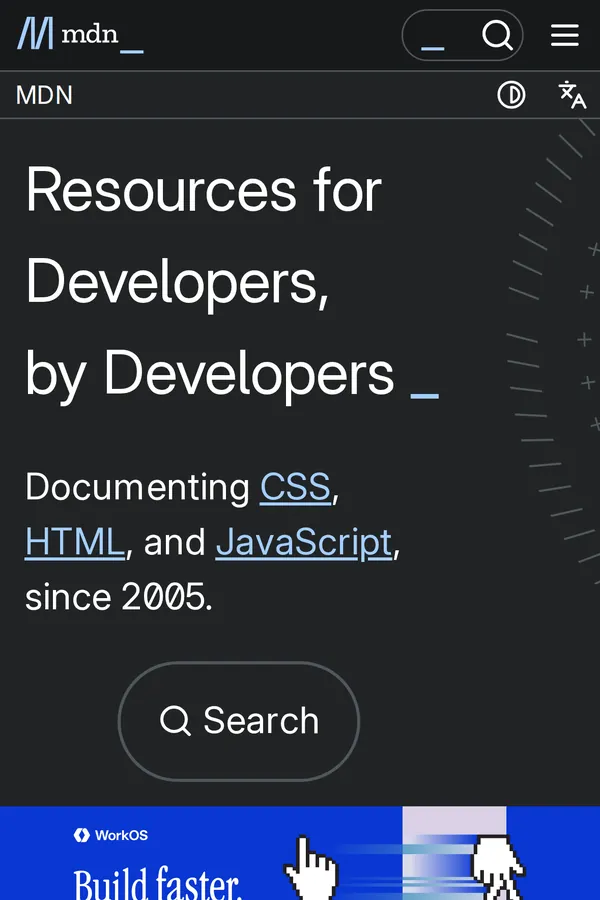
Parameters
devicestringdesktop, desktop_hd, laptop, ipad, iphone, iphone_se, pixel, galaxy, iphone_duo (Apple's foldable, open) and iphone_duo_cover, plus 200+ real devices such as iphone_17_pro_max or pixel_11_pro (the catalog). A width, height or scale you send overrides its own.prefers-color-scheme: dark).prefers-reduced-motion: reduce). Most sites then skip intro animations and moving backgrounds, so the capture doesn't wait for them: stripe.com renders in half the time. false shows the page as a visitor without the setting sees it. Videos have it off.screen or print, which applies the page's print styles.timezonestringAmerica/New_York.Accept-Language, e.g. de-DE.latitude / longitudenumberaccuracy is in meters (default 50).user_agentstringWaiting for the page
By default the capture starts once the page has loaded and what it still loads to show has arrived, at most 2 s later. For pages that fill themselves in later, wait for what you need.
/v1/screenshotcurl -G https://shotlane.dev/v1/screenshot \ -H "X-API-Key: $SHOTLANE_API_KEY" \ -d url=github.com/microsoft/playwright \ -d wait_for_selector=article.markdown-body \ -d timeout=30 \ -o readme.png
import os
from shotlane import Shotlane

sl = Shotlane(os.environ["SHOTLANE_API_KEY"])
png = sl.screenshot(
    "github.com/microsoft/playwright",
    wait_for_selector="article.markdown-body",
    timeout=30,
)
open("readme.png", "wb").write(png)
import { writeFile } from "node:fs/promises";
import { Shotlane } from "./shotlane.mjs";

const sl = new Shotlane(process.env.SHOTLANE_API_KEY);
const url = "github.com/microsoft/playwright";
const png = await sl.screenshot(url, {
  wait_for_selector: "article.markdown-body",
  timeout: 30,
});
await writeFile("readme.png", png);
200 OK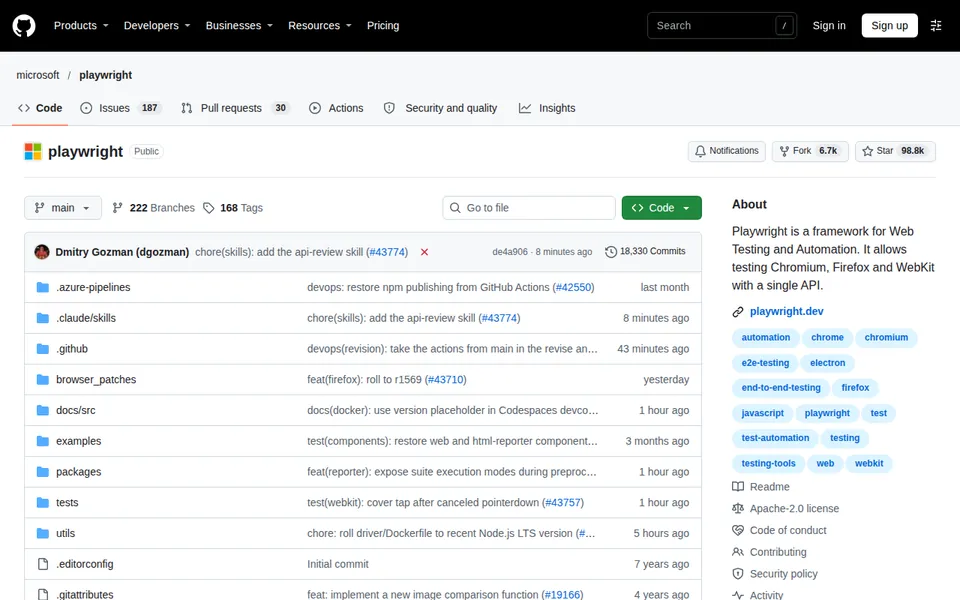
Parameters
load, domcontentloaded, networkidle (no requests for 500 ms) or networkidle2 (at most 2 for 500 ms); several are waited for in turn. After load it also waits up to 2 s for what the page still loads to show (scripts, styles, images, videos, fonts and data, not analytics beacons or prefetches), so pages that fade in are complete.wait_for_selectorstring or listwait_for_selector_algorithm).at_least_one goes on when any of them is visible, at_least_by_count waits for all of them.wait_to_leavestringInteracting with the page
After the page has loaded, these run in this order: hide_selectors (after the clean-up options), css, js, click, hover, delay, then scroll_into_view. The clean-up options run once more before that last step, for dialogs that open late.
/v1/screenshotcurl -G https://shotlane.dev/v1/screenshot \ -H "X-API-Key: $SHOTLANE_API_KEY" \ -d url=shotlane.dev/pricing \ --data-urlencode "click=.faq details summary" \ -d selector=.faq \ -o faq.png
import os
from shotlane import Shotlane

sl = Shotlane(os.environ["SHOTLANE_API_KEY"])
png = sl.screenshot(
    "shotlane.dev/pricing",
    click=".faq details summary",
    selector=".faq",
)
open("faq.png", "wb").write(png)
import { writeFile } from "node:fs/promises";
import { Shotlane } from "./shotlane.mjs";

const sl = new Shotlane(process.env.SHOTLANE_API_KEY);
const png = await sl.screenshot("shotlane.dev/pricing", {
  click: ".faq details summary",
  selector: ".faq",
});
await writeFile("faq.png", png);
200 OK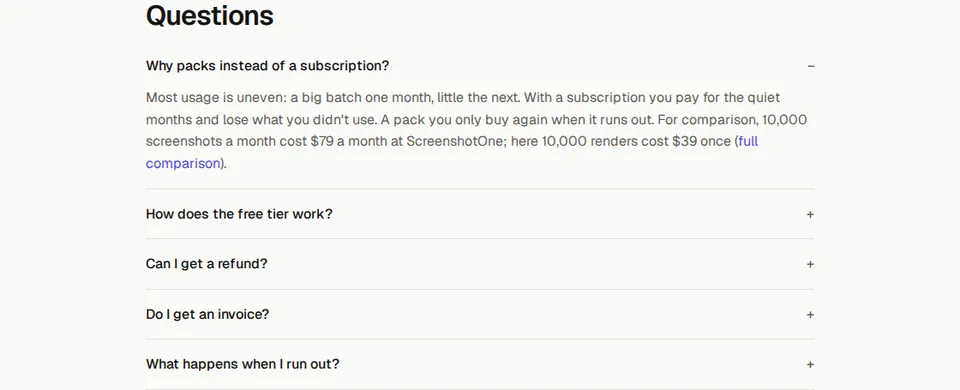
Parameters
clickstring.faq details:nth-of-type(3) summary.hoverstringscroll_into_viewstringhide_selectorsstring or list.chat-widget,#promo.cssstringjsstringawait works. An error in it fails the render with a 422.js navigates (submits a form, say), wait for the new page: load, domcontentloaded or networkidle.js that adds inline scripts or styles, uses eval or loads from hosts the policy blocks. css, hide_selectors and the clean-up options work on strict sites without it.reduced_motion, on by default, only tells the page the visitor prefers less motion, and some pages ignore that.false carries on when the click or hover target is missing, instead of failing with a 422.Cleaning up the page
Remove what covers the content: consent dialogs, sign-up nags, ads, chat widgets. The lists behind them are updated every week.
/v1/screenshotcurl -G https://shotlane.dev/v1/screenshot \ -H "X-API-Key: $SHOTLANE_API_KEY" \ -d url=airbnb.com \ -d hide_cookie_banners=true \ -d hide_popups=true \ -d block_ads=true \ -d block_trackers=true \ -o airbnb.png
import os
from shotlane import Shotlane

sl = Shotlane(os.environ["SHOTLANE_API_KEY"])
png = sl.screenshot(
    "airbnb.com",
    hide_cookie_banners=True,
    hide_popups=True,
    block_ads=True,
    block_trackers=True,
)
open("airbnb.png", "wb").write(png)
import { writeFile } from "node:fs/promises";
import { Shotlane } from "./shotlane.mjs";

const sl = new Shotlane(process.env.SHOTLANE_API_KEY);
const png = await sl.screenshot("airbnb.com", {
  hide_cookie_banners: true,
  hide_popups: true,
  block_ads: true,
  block_trackers: true,
});
await writeFile("airbnb.png", png);
200 OK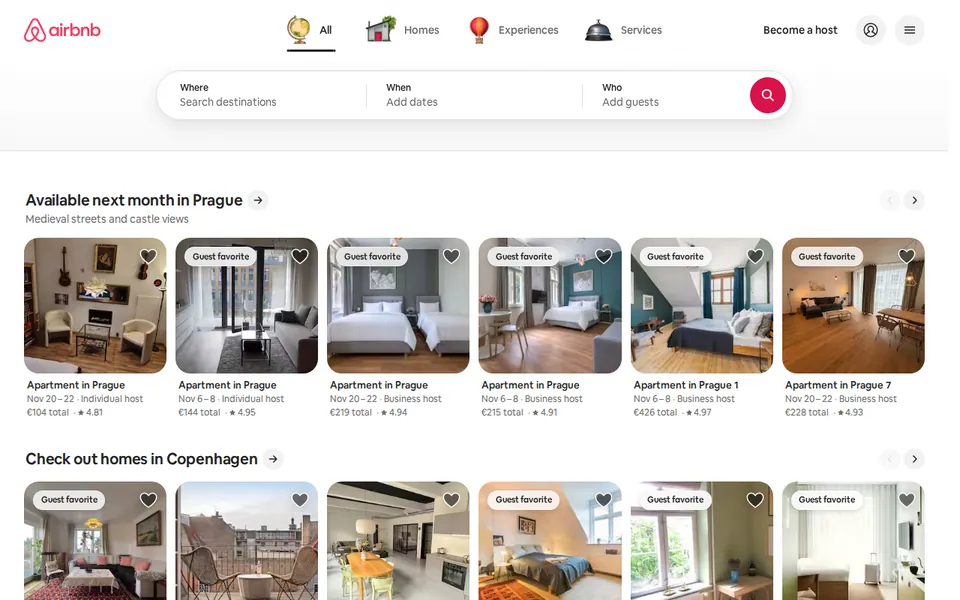
Parameters
block_requestsstring or list* wildcards, e.g. *.mp4,*/ads/*.block_resourcesstring or listimage, media, font, stylesheet, script, xhr, fetch, websocket, eventsource, texttrack, manifest, other.Logins, headers and proxies
For pages behind a login, a firewall or a bot wall. Cookies, headers and passwords go only to the page's own host, never to the third-party resources it loads, and are used for that one request: never stored or logged (details).
/v1/markdowncurl -G https://shotlane.dev/v1/markdown \ -H "X-API-Key: $SHOTLANE_API_KEY" \ -d url=https://fixtures.shotlane.dev/headers \ --data-urlencode "authorization=Bearer demo-token" \ --data-urlencode "cookies=session=abc123"
import os
from shotlane import Shotlane

sl = Shotlane(os.environ["SHOTLANE_API_KEY"])
md = sl.markdown(
    "https://fixtures.shotlane.dev/headers",
    authorization="Bearer demo-token",
    cookies="session=abc123",
)
print(md)
import { Shotlane } from "./shotlane.mjs";

const sl = new Shotlane(process.env.SHOTLANE_API_KEY);
const url = "https://fixtures.shotlane.dev/headers";
const md = await sl.markdown(url, {
  authorization: "Bearer demo-token",
  cookies: "session=abc123",
});
console.log(md);
200 OK```
{
"headers": {
"Host": "fixtures.shotlane.dev",
"Accept-Language": "en-US",
"Authorization": "Bearer demo-token",
"Cookie": "session=abc123",
…
}
}
```
Parameters
cookiesstringname=value pairs, e.g. session=abc; theme=dark, up to 8,000 characters. They are sent to the page's own host.headersobject{"Authorization": "Bearer …"}.authorizationstringAuthorization header, e.g. Bearer eyJ….basic_authstringuser:password for HTTP basic auth.proxystringhttp://user:pass@host:port (http, https or socks5), or ours for sites that block data centers:
auto loads the page directly, for 1 credit, and only when a bot wall answers tries again through a residential IP, for 10 paid credits instead. Use this one: a residential IP doesn't get past every wall, and a site that lets us in directly can block it.
residential sends every request through a residential IP, 10 paid credits a render (free credits don't cover it).
In a test of 12 sites that block our server (October 2026), a residential IP got through on 6, among them Cloudflare's walls on allrecipes.com, ikea.com and medium.com; DataDome (nytimes.com, etsy.com) and reddit.com blocked it too. A wall isn't charged, within the usual allowance.
Ours works on /v1/screenshot, /v1/pdf, /v1/markdown and /v1/extract. It doesn't load audio or video, and a render through it may move up to 10 MB: past that the page stops loading more, and X-Shotlane-Proxy-Capped: true says so. X-Shotlane-Proxy: residential tells you it was used.
proxy_countrystringproxy=auto or residential: the exit's country as a two-letter code, e.g. de or gb. Without it the exit is almost always in the US, so set it for sites that serve by country: from the US, zalando.com shows only its country picker.proxy_bypass_hostsstring or listcdn.example.com or *.example.com.Failing on purpose
Turn a page that isn't what you expect into an error instead of a picture of it. These fail with a 422, and a failed render isn't charged.
/v1/screenshotcurl -G https://shotlane.dev/v1/screenshot \ -H "X-API-Key: $SHOTLANE_API_KEY" \ -d url=https://fixtures.shotlane.dev/status/404 \ -d fail_on_status=true
import os
from shotlane import Shotlane, ShotlaneError

sl = Shotlane(os.environ["SHOTLANE_API_KEY"])
try:
    sl.screenshot(
        "https://fixtures.shotlane.dev/status/404",
        fail_on_status=True,
    )
except ShotlaneError as e:
    print(e.status, e)
import { Shotlane, ShotlaneError } from "./shotlane.mjs";

const sl = new Shotlane(process.env.SHOTLANE_API_KEY);
const url = "https://fixtures.shotlane.dev/status/404";
try {
  await sl.screenshot(url, { fail_on_status: true });
} catch (e) {
  if (!(e instanceof ShotlaneError)) throw e;
  console.log(e.status, e.message);
}
422{
"error": "The page answered HTTP 404 (fail_on_status is on, so this was not charged).",
"error_code": "host_returned_error",
"documentation_url": "https://shotlane.dev/docs/errors#host_returned_error",
"target_status": 404
}
Parameters
X-Target-Status header.fail_if_content_containsstring or listAccess denied. Up to 20 strings; the error names the matched_string.fail_if_content_missingstring or listfail_if_request_failedstring or list* wildcards: fail when a matching request fails or answers 4xx or 5xx, e.g. */api/*.Bot walls (Cloudflare, Akamai, DataDome…) aren't charged either, within an allowance: see what isn't charged.
© 2026 Shotlane · Support · Terms · Privacy · Legal notice